
TopSecure Pro - Password Manager3.2 - App Store
You'll be able to see results in few seconds.
Publisher Description
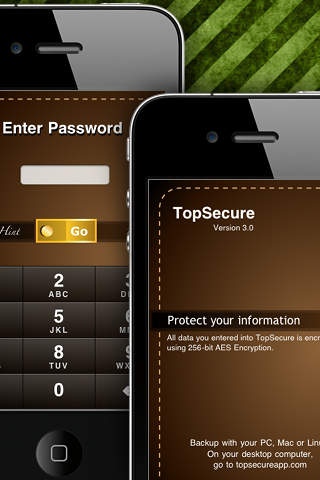
Free desktop backup/restore utility. Remote-Destroy your data when you lost your iPhone. TopSecure is Password Manager and Data Vault. It protects your passwords, financials, and personal information from unauthorized access by would-be crackers, malicious thieves and snoopy coworkers. TopSecure keeps your information secure, yet always at your fingertips using industry-proven data encryption method.
A configurable, secure and powerful data encryption tool that will serve you well into the future with easy to use user interface that is similar to your iPhone s built-in App.
FEATURES:
Full text searching
Quick copy / paste between applications
Fully supports iOS 4 and iPhone 4 retina display
Password protection with hint feature
Strong, military-grade 256-bit AES Encryption for 100% of your data
Customizable entries or create your own fields
Pre-defined types and categories to get you started
Customizable types with unlimited number of fields
Custom categories to match your organizational style
Store any information you want - no restrictive templates required!
125 professionally designed color icons for personalizing types
Native look and easy to use interface that is similar to built-in iPhone applications
Automatic password generator to create hacker-proof passwords
Time-out lock for maximum safety
Self-destruct mode to delete your data after given number of failed attempts.
Remote-destroy mode to delete your data when your iPhone is stolen
Backup over WiFi with the free TopSecure Backup for Mac OS X, Windows and Linux.
REMOTE DESTROY:
What can you do when you lost your iPhone? TopSecure provides remote-destroy mode as well as self-destruct mode. You can remove your data remotely using TopSecure Backup for Desktop when your device is stolen. This feature works when you enabled Remote-Destroy on your iPhone/iPod Touch and your device can connect to the Internet. TopSecure Backup for Desktop is available free on our web site http://topsecureapp.com/ for Mac OS X, Windows and Linux.
FREE WITH YOUR PURCHASE:
TopSecure Backup is a free desktop application for Mac OS X, Windows and Linux that lets you backup & restore your information over WiFi between multiple devices (e.g both an iPhone, iPod Touch and an iPad). You can make multiple backups of your data and restore it with your choice. Download your FREE copy of TopSecure Backup today at http://topsecureapp.com and backup your data regularly!
Requires iOS 4.0 or later. Compatible with iPhone, iPad, and iPod touch.
About TopSecure Pro - Password Manager
The company that develops TopSecure Pro - Password Manager is 14773 STONES. The latest version released by its developer is 3.2.
To install TopSecure Pro - Password Manager on your iOS device, just click the green Continue To App button above to start the installation process. The app is listed on our website since 2011-02-25 and was downloaded 0 times. We have already checked if the download link is safe, however for your own protection we recommend that you scan the downloaded app with your antivirus. Your antivirus may detect the TopSecure Pro - Password Manager as malware if the download link is broken.
How to install TopSecure Pro - Password Manager on your iOS device:
- Click on the Continue To App button on our website. This will redirect you to the App Store.
- Once the TopSecure Pro - Password Manager is shown in the iTunes listing of your iOS device, you can start its download and installation. Tap on the GET button to the right of the app to start downloading it.
- If you are not logged-in the iOS appstore app, you'll be prompted for your your Apple ID and/or password.
- After TopSecure Pro - Password Manager is downloaded, you'll see an INSTALL button to the right. Tap on it to start the actual installation of the iOS app.
- Once installation is finished you can tap on the OPEN button to start it. Its icon will also be added to your device home screen.
Program Details
System requirements
Download information
Pricing
Version History
version 3.2
posted on 2011-02-25
Disclaimer
Official App Store Link
We do not host TopSecure Pro - Password Manager on our servers. We did not scan it for viruses, adware, spyware or other type of malware. This app is hosted by Apple and passed their terms and conditions to be listed there. We recommend caution when installing it.
The App Store link for TopSecure Pro - Password Manager is provided to you by apps112.com without any warranties, representations or guarantees of any kind, so access it at your own risk.
If you have questions regarding this particular app contact the publisher directly. For questions about the functionalities of apps112.com contact us.
